

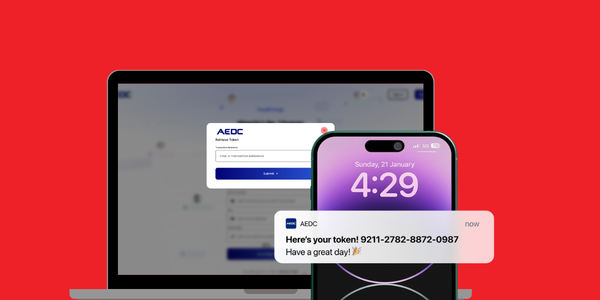
We understand how important it is to restore your power supply quickly after making a payment. If you’ve completed a payment but haven’t received your AEDC meter token, don’t worry, this guide will help you retrieve it smoothly and without stress.
Why Your Token May Not Arrive Immediately
In some cases, your meter token may be delayed due to:
– Network interruptions
– Temporary technical issues
– SMS delivery delays
Whatever the reason, your token is still retrievable.
Step-by-Step: How to Retrieve Your AEDC Token
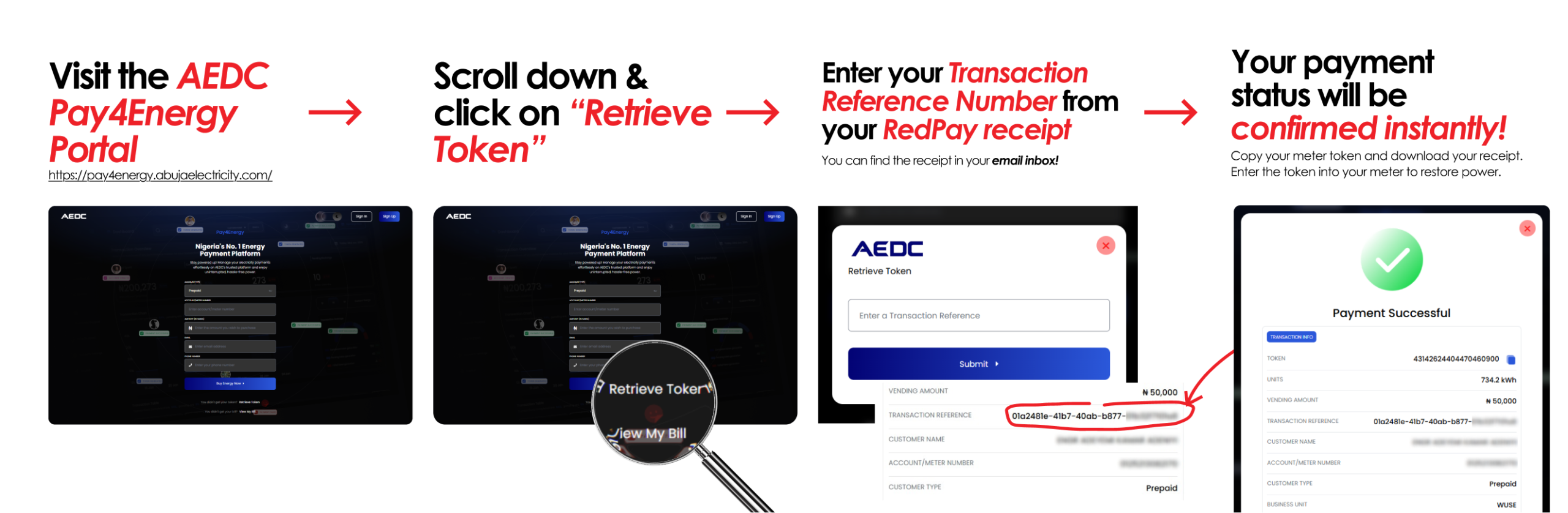
1. Visit the AEDC Pay4Energy portal: https://pay4energy.abujaelectricity.com/
2. Scroll down and click on “Retrieve Token”
3. Enter your Transaction Reference Number from your RedPay receipt
4. Check your email inbox (linked to your AEDC account) to find your RedPay receipt
5. Copy the Reference Number from the receipt
6. Paste it into the token retrieval portal
7. Your payment status will be confirmed instantly
8. Copy your meter token and download your receipt
9. Enter the token into your meter to restore power
📌 Important Note
To successfully retrieve your token, always use the Transaction Reference Number from your RedPay receipt.
❌ Do NOT use the reference from your bank alert or banking app
✅ Only the RedPay Reference Number will work
Need Help? Here’s What to Do
If you’re unable to retrieve your token or experiencing any issues, follow these steps:
Step 1: Contact AEDC Customer Support
Since AEDC manages token generation, reach out to them first:
– Email: customercare@abujaelectricity.com
– Phone: 08039070070
– WhatsApp: 08152141414, 08152151515
– Rapid Response: 07032920415
Step 2: Contact Redtech Support
If the issue is related to payment confirmation or receipts:
– Email: redtechcustomersupport@redtechlimited.com
– Phone: +234 913 933 7298
– Provide your RedPay receipt or bank debit alert.
– Once your payment is confirmed, your token will be issued or a refund processed within 3–5 working days.
Step 3: Contact Your Bank
If your payment was affected by a bank network issue:
– Wait for an automatic reversal, or
– Contact your bank directly for support
Tips for Smooth Payments Resolution
– Always keep your RedPay receipts and bank alerts
– Use the correct reference number when retrieving tokens
– Contact AEDC for token-related issues first
– Reach out to Redtech for payment-related support
At Redtech, we’re committed to making every payment experience simple, reliable, and stress-free. And when things don’t go as planned, you’re never on your own, support is always within reach.